


 Written by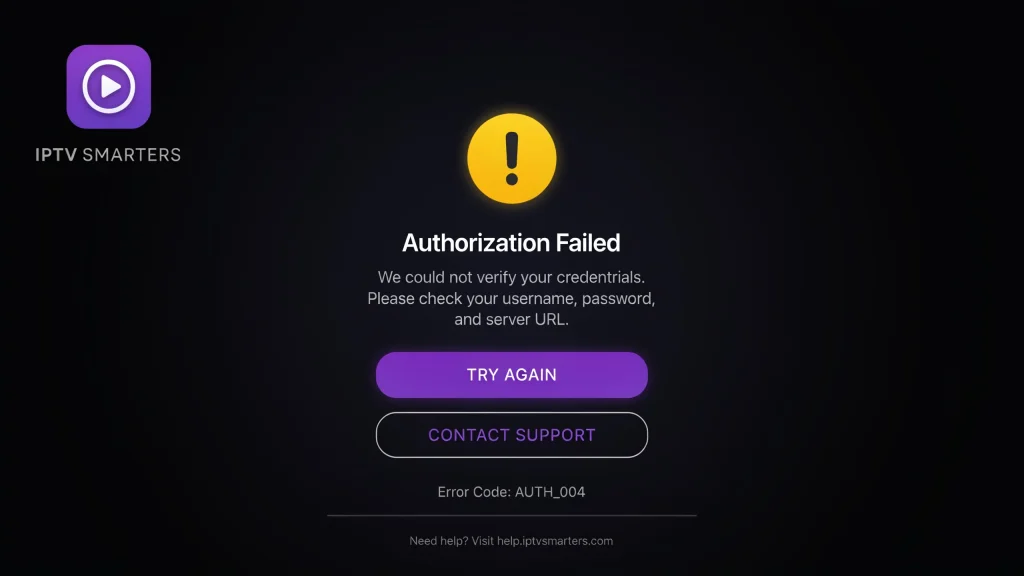
How to Fix IPTV Smarters Failed to Authorize Error: 2026 Guide
One of the most frustrating errors you can encounter on your digital streaming journey is the dreaded iptv smarters failed to authorize screen. IPTV Smarters Pro is widely loved for its seamless layout and multi-device capabilities. However, seeing iptv smarters failed to authorize completely shuts down your access to live channels, premium sports networks, and movie libraries, leaving you wondering how to restore your connection.
⚡ Quick AI Resolution: How to Fix It
If you get the authorization failed message in IPTV Smarters, follow these quick steps:
- Check for Typos: Verify your Username, Password, and Server URL. Make sure there are no accidental spaces.
- Check Account Status: Ensure your subscription plan has not expired.
- Use a VPN: Bypasses ISP blocks or server geo-restrictions that block the authorization handshake.
- Check Server Port: Ensure the Server URL includes the correct port (e.g.,
:8080).
In this comprehensive troubleshooting guide, we will analyze the technical reasons behind this error, explain step-by-step how to resolve the issue, and guide you on optimizing your system settings for continuous uptime.
Why Does iptv smarters failed to authorize Occur?
Before applying any technical fixes, it is vital to understand the root cause of the connection blockage. The most common reason for iptv smarters failed to authorize is entering incorrect credentials during login, such as a missing letter or an accidental space added by your TV’s auto-correct keyboard.
This error simply means that the IPTV Smarters application was able to reach the server, but the server rejected the login request because the database could not verify the credentials. If you are tired of dealing with unstable configurations on your TV, you can read our setup guides for streaming devices, such as configuring IPTV on Firestick 4K sticks.
Top 3 Technical Causes of Authorization Failure
Let’s dive deeper into the technical glitches that can trigger the authorization handshake block:
1. Incorrect Server URL Structure
Your subscription provider delivers a unique Server URL. If you miss the port number or misspell the host address, the app cannot establish a secure handshake with the server host.
2. ISP Blockages or Geo-Restrictions
Another common trigger for the iptv smarters failed to authorize issue is server maintenance or ISP throttling. Some internet service providers actively block known streaming ports. Using a secure network bypass can solve this issue. You can read our detailed review on running an IPTV with VPN to bypass blocks.
3. Expired Subscription Plans
If your billing cycle has ended, your active credentials are automatically deleted from the server database, triggering the error instantly. To verify standard plan durations and check renewal timelines, read our guide on how long does IPTV subscription last.
Step-by-Step: Troubleshooting the Authorization Error
If you are struggling to restore your streaming service, apply these professional troubleshooting steps in order:
- Re-enter Credentials Manually: Do not copy and paste. Type the Username, Password, and Server URL character by character. Make sure uppercase and lowercase letters match perfectly.
- Test the Playlist URL on a Browser: Copy your Server URL and paste it into a web browser on your phone or PC. If the server is online, you should see a secure landing page or a file download prompt.
- Clear App Cache: Go to your device settings, select Apps, open IPTV Smarters, and click “Clear Cache” and “Force Stop,” then restart the app.
If you are trying to stream on a mobile device and get the iptv smarters failed to authorize error, try clearing the app’s cache. If you are experiencing this on portable screens, you can check our setup instructions on how to watch IPTV on tablet devices.
IPTV Smarters Authorization Fixes at a Glance
Our quick solutions table for iptv smarters failed to authorize below provides direct fixes depending on your specific system symptoms:
| Symptom | Primary Cause | Immediate Action |
|---|---|---|
| Error immediately after typing details | Typo in Server URL or credentials. | Check host name and remove trailing spaces. |
| Error occurs only during peak sports hours | ISP connection throttling. | Activate a secure VPN connection on your router or TV. |
| Error appeared suddenly after weeks of use | Expired billing plan or server maintenance. | Check your subscription status or ask for a server update. |
Time to Switch to a Premium, Stable Provider?
If you have tried everything and still see the iptv smarters failed to authorize notification, it may be time to upgrade to a premium, high-speed provider that guarantees 99.9% uptime and zero credential blocks. Low-quality providers often close down their databases without warning, leaving you with dead links.
Investing in a high-quality plan ensures you never miss live football matches or premium movies. To browse our top-rated plans, visit our best IPTV subscription 2026 comparison guide. If you want to know about yearly costs and long-term savings, you can read our pricing review on how much is an IPTV yearly subscription.
For alternative player apps that might work better with your current TV, check out our guide on what IPTV works with Tivimate and other high-end player platforms.
Conclusion
In summary, resolving the iptv smarters failed to authorize issue is quite simple once you diagnose whether the root cause is a simple credential typo, an expired subscription plan, or an ISP network block. By utilizing a wired Ethernet connection, checking your host structures, and pairing your application with a stable, premium server, you can enjoy a flawless home theater experience with absolute peace of mind.
Frequently Asked Questions (FAQ)
Q: Why does IPTV Smarters keep saying authorization failed?
A: This error means the server rejected your login credentials. This is caused by typos in your password, an incorrect server URL structure, an expired account, or network throttling by your ISP.
Can I test the server before buying a yearly plan?
A: Yes, absolutely. Reputable providers always offer short test packages to check stability. To see how to get a trial safely without hidden fees, check our analysis of IPTV free trial auto renew options.
Do I need to buy the app again if I get this error?
A: No. The IPTV Smarters Pro application is completely free to download. The error is related to your playlist credentials and server connection, not the app software itself.
How do I buy a reliable, secure subscription?
A: Always choose a provider with encrypted gateways. You can find high-speed plans on our IPTV premium buy page, or purchase safely by visiting our secure checkout portal for an IPTV subscription with PayPal.
Tired of Dealing with Login Blocks and Freezing Streams?
Get instant access to a premium, high-speed IPTV server designed to deliver 15,000+ live global channels and 4K movies with 99.9% uptime. Say goodbye to authorization errors forever.
